
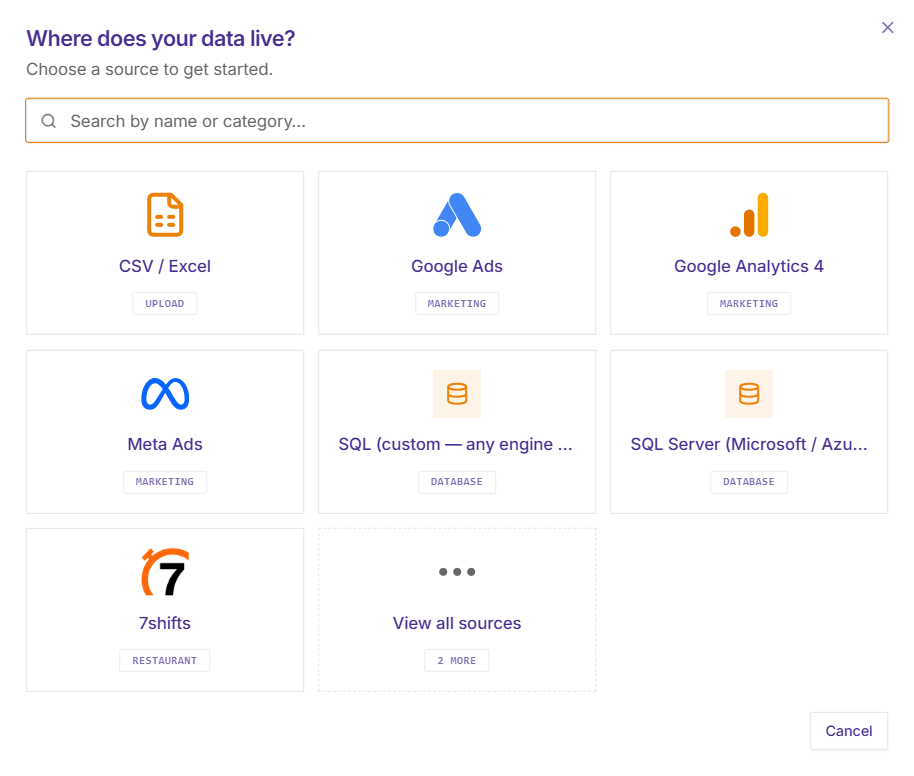
Connector ecosystem
Connect the tools
your team already uses.
Pre-built connectors for every category your business runs on
 Databases & Warehouses
Live
Live
Live
 Marketing & Ads
Live
Live
Live
Soon
Live
Soon
Soon
Soon
 File Uploads
Live
Live
Live
Live
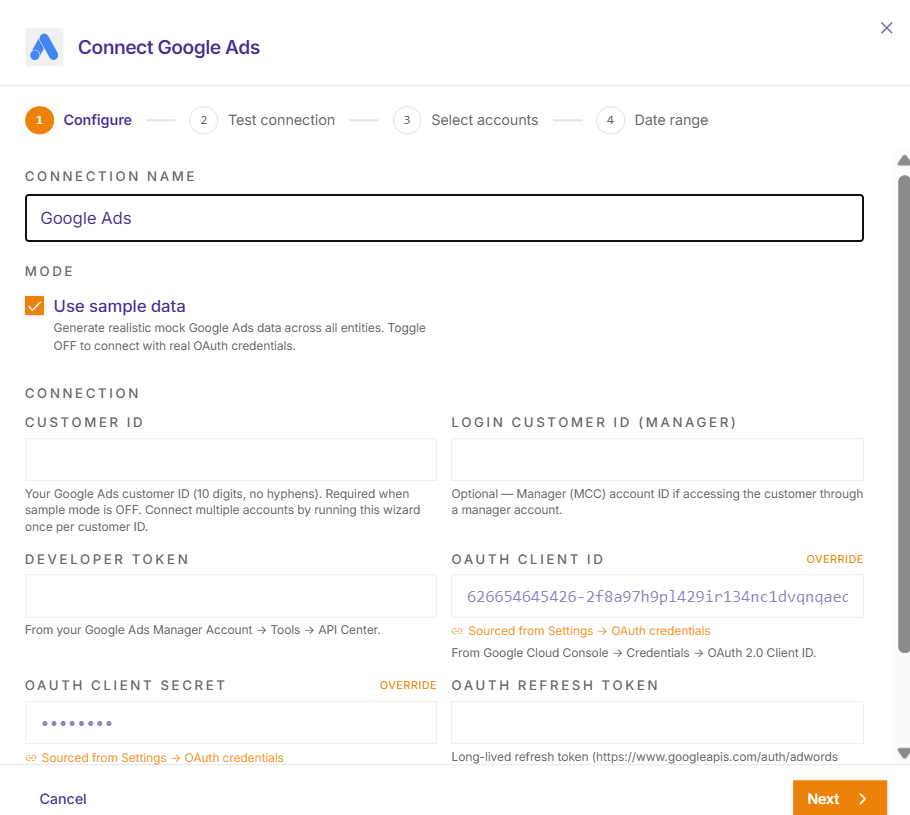
Connector setup
Six steps.
One guided UI.
No documentation needed.
Every connector uses the same step-by-step configuration flow. Auth is handled with OAuth or API keys. You pick your objects, set your date range, configure the schedule, and test the connection — all in the browser.
-
✓
Secure authentication — OAuth, API keys, and service accounts all supported
-
✓
Object selection — pick exactly which tables, campaigns, or objects to sync
-
✓
Date range & scope control — avoid syncing data you don’t need
-
✓
Incremental & scheduled syncs — 1h to 720h refresh cadence, cron-style
-
✓
Live connection test before saving — success rate, run history, failure alerts
-
✓
Destination mapping — route data directly to the right canonical model
Automated data processing
From raw data
to insights-ready
automatically.
The moment data lands, Analyzio scans its structure, types every field, checks quality, and flags PII columns — before a single dashboard ever queries it. You see what you’re working with before you publish.
-
✓
Schema auto-detection — field names, types, and nullability inferred on ingest
-
✓
Data preview before ingestion — see a sample before committing to a full sync
-
✓
Standardised field typing — dates, numbers, booleans, and IDs consistently typed
-
✓
Data quality completeness check — per-field null rate shown before you publish
-
✓
Schema changelog — every field addition or type change recorded with timestamp
Data console
All connectors.
One console.
Full visibility.
Monitor every connector’s health, trigger manual refreshes, review sync history, and update schedules — all from the Data console. No logging into source systems to know what’s happening.
-
✓
Connector health at a glance — healthy, stale, or failed status per source
-
✓
Last sync time, row count, and estimated next sync always visible
-
✓
Manual refresh — trigger an immediate sync on any connector with one click
-
✓
Success-rate trend and run history — see exactly when failures started
-
✓
Failure alerts via email — notified before your dashboards show stale data
-
✓
Role-scoped access — admins see all connectors; viewers see only relevant sources